Manage holidays
Review public holidays and register company holidays under Settings > Holiday management.
To skip checklist assignment on holidays, keep your holiday list up to date.
Open Settings > Holiday management to review public holidays and register company holidays.
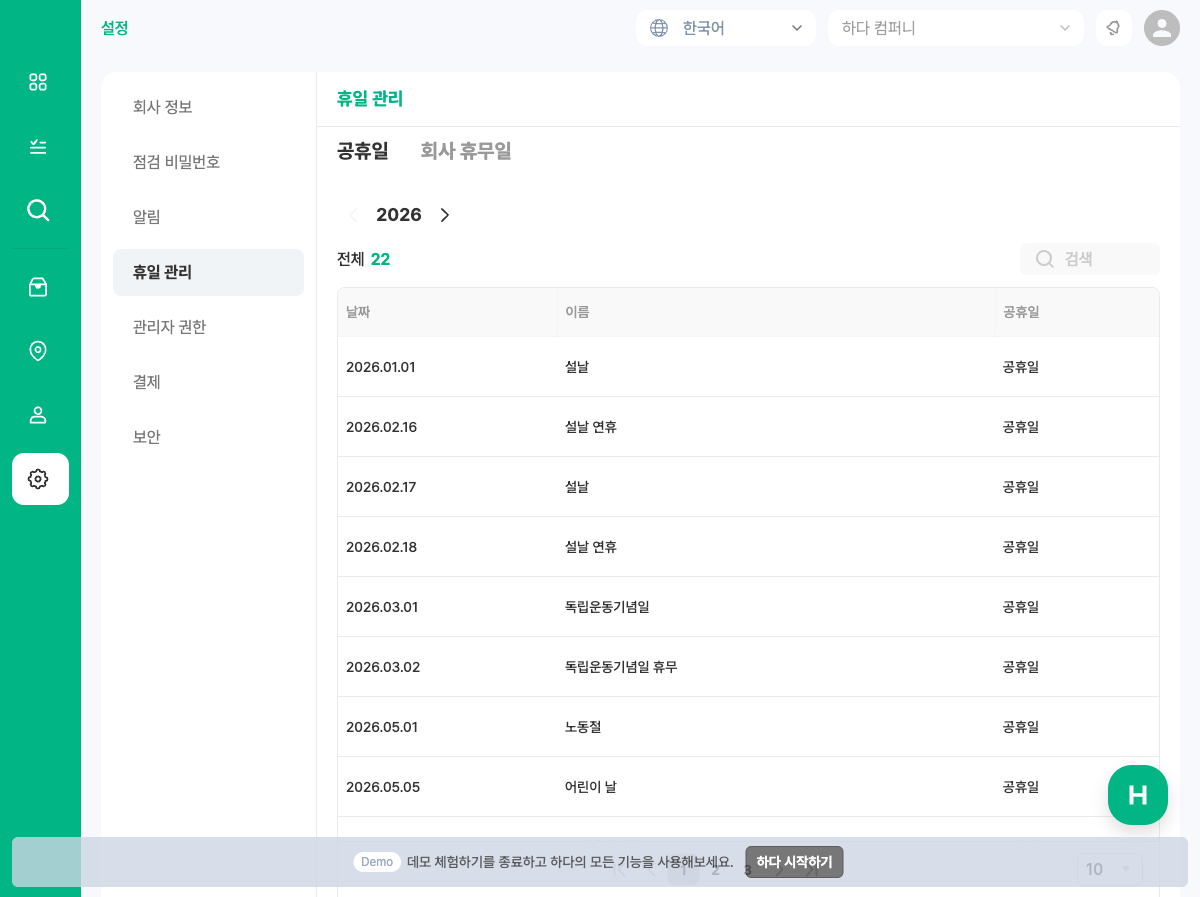
✔️ Use the Public holidays and Company holidays tabs.
✔️ Change the year with the < year > control (shared across both tabs).
1. Public holidays
The Public holidays tab lists national holidays by year (for supported countries such as Korea and Japan).
✔️ You can browse date, name, and type. Public holidays are synced by the platform — you do not add or delete them in the dashboard.
💡 Assignment is skipped on these dates only when the checklist has Public holidays exclusion enabled.
→ Exclude holidays on a checklist
2. Company holidays
Register company-only days (founding anniversary, regular closure, etc.) on the Company holidays tab.
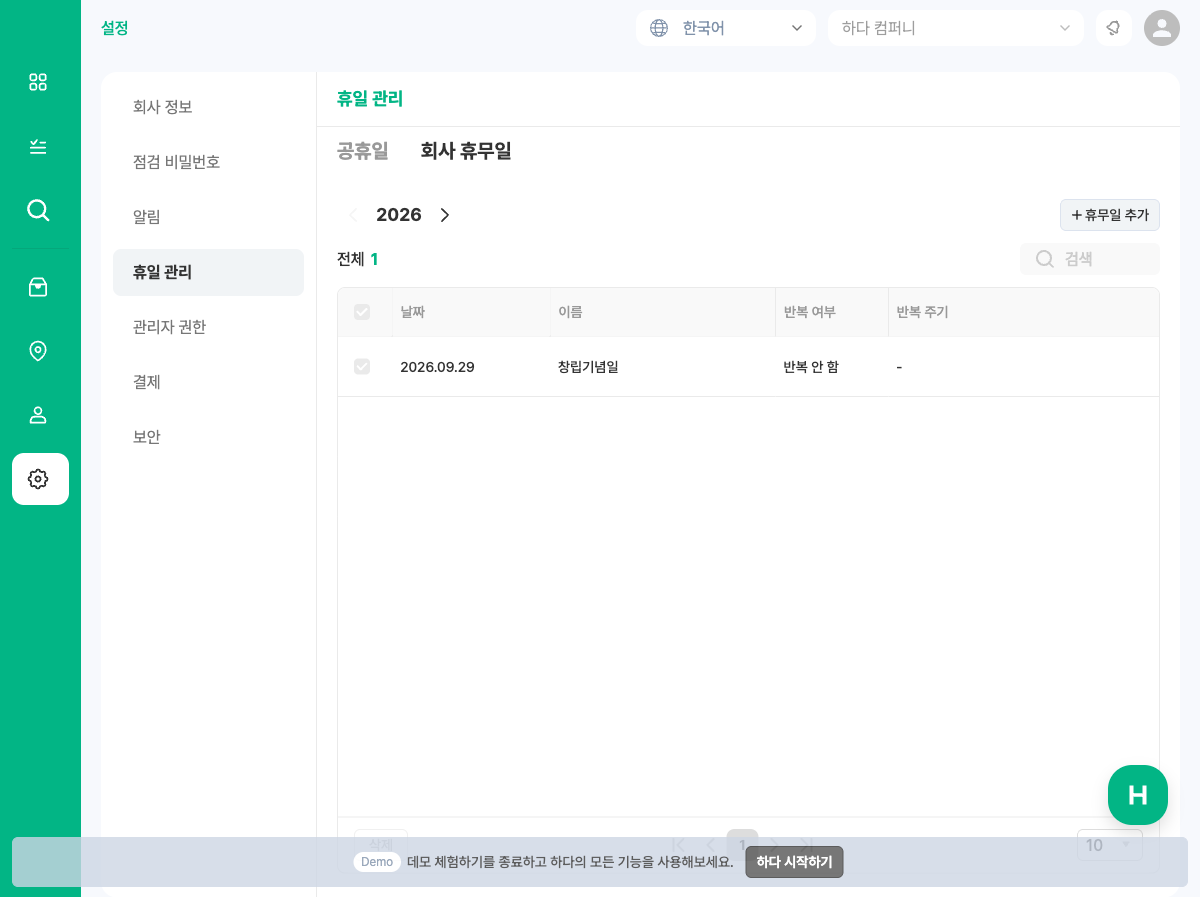
- Open Company holidays.
- Click + Add holiday.
- Enter name, date (or start date), and recurrence, then Add.
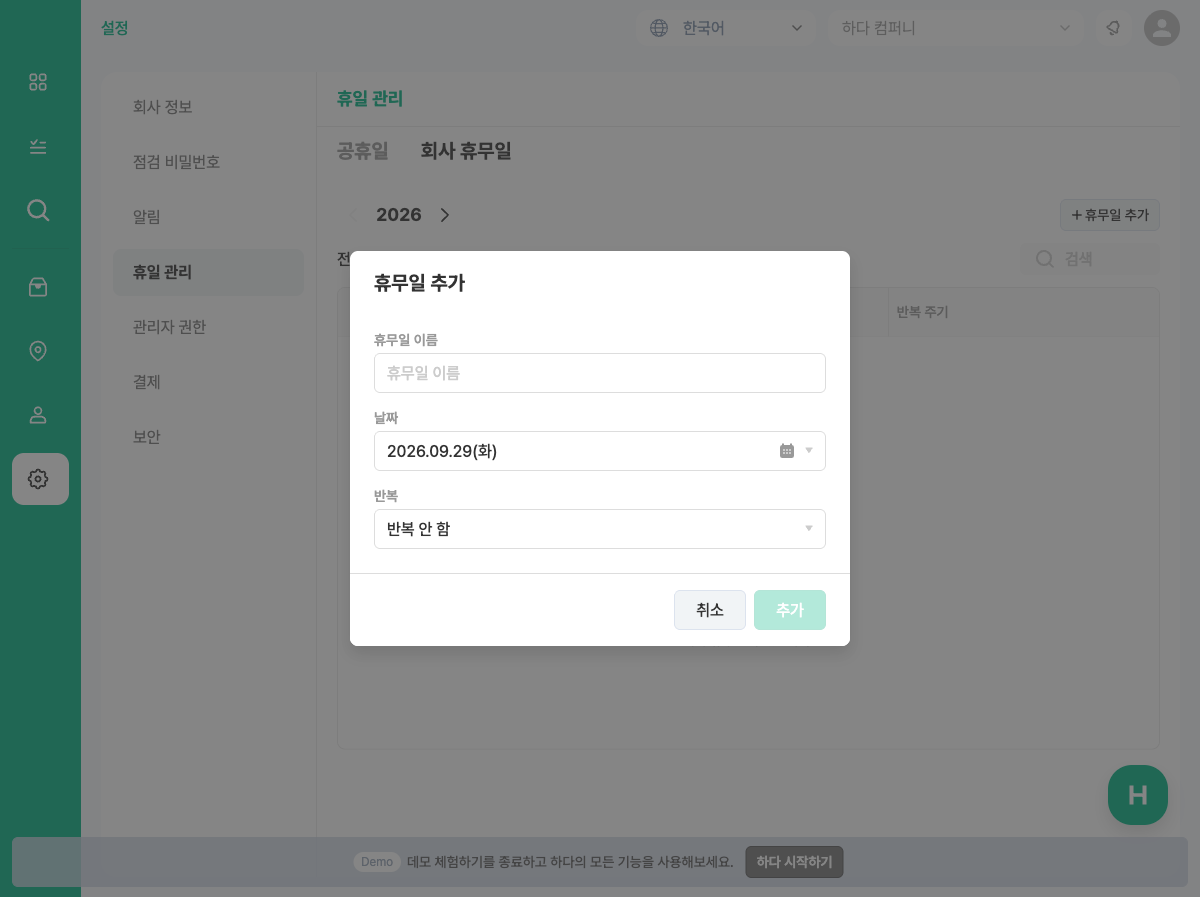
✔️ No recurrence: a single date.
✔️ Weekly / monthly / yearly: repeats from the start date (optional end date).
3. Edit or delete
- Click a row to edit.
- Select multiple rows to delete in bulk.
- Edit/delete shows a confirmation about impact on assignment and exclusion.
Related
- Exclude holidays on a checklist
- Korean guide: 휴일 관리하기